
Command Center Turning Into More Clutter? How to Build One That Stays Tidy
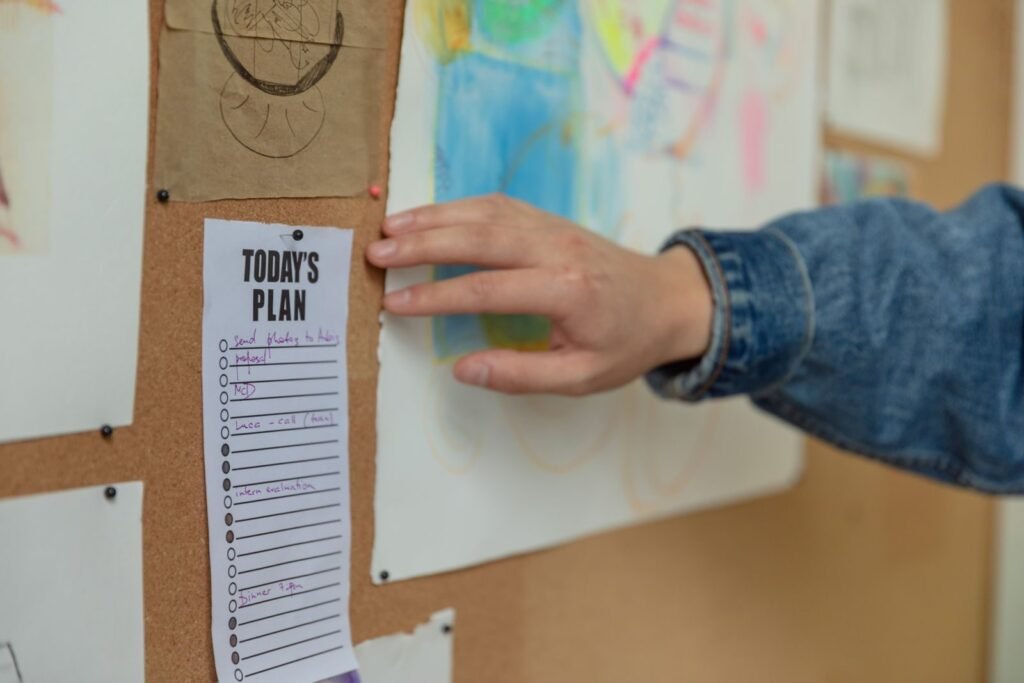
A family command center should reduce searching, not become another pile. Build a small, maintainable system with clear ownership and only a few functions.
October 25, 2026 • Practical Lifestyle
What this guide covers: keeping a command center you already have small, current, and shared, so it does not turn into another clutter spot: the rules, a weekly reset, and fixes when nobody uses it. If you are still choosing where it goes or what it looks like, start with our family command center ideas and layouts, then come back here once it is up.
Why command centers turn into clutter
Household information is scattered across school bags, email, text messages, paper, and memory. A command center is meant to pull the urgent part of that into one place. It usually fails for one of three reasons: it tries to hold everything, nobody except one adult maintains it, or it sits somewhere the family does not pass. Each section below deals with one of those problems.
What the evidence and guidance actually say
- Research on prospective memory shows that people use external reminders to offload future intentions, but a family command center itself is a practical organizational concept rather than a medically validated intervention.
- Implementation-intention research supports the broader idea that specific cues and plans (“when X happens, I will do Y”) can help turn intentions into action.
- There is no evidence-based requirement for a wall calendar, whiteboard, or particular organizing product.
Give it three jobs, not ten
A command center becomes clutter when it tries to hold every piece of household information. Start with three jobs, for example this week’s calendar, incoming papers that need action, and items that must leave the house. Most households end up needing only these pieces:
- A calendar view of the next week or two, either on paper or on a screen showing the shared digital calendar.
- One inbox tray or folder for forms, permission slips, and bills that need action.
- A hook or small bin for keys, badges, and anything that must go out the door.
- A short emergency contact and medical information sheet (see below).
- A pen and a notepad or list for shopping and quick notes.
Anything else should earn its place by being used every week. If a category has not been used in a month, remove it rather than adding a new container.
Put it where information enters the home
The best location is somewhere everyone passes every day and where papers and bags naturally arrive: near the main door, the kitchen, or a shared work area. A narrow wall, the side of the fridge, or the inside of a cupboard door can work in small homes. Avoid surfaces that already collect clutter, such as the dining table, because the command center simply becomes part of the pile.
Separate action from storage
Long-term records do not belong in the same pile as tomorrow’s permission slip. The command center holds only papers that need something done in the next week or two. Photograph or scan anything that must be kept, file the original somewhere else, and move it out of the active zone. School art and keepsakes need their own home away from the action board.
Assign owners
Shared visibility does not automatically create responsibility. Write down who owns school forms, appointment scheduling, bill follow-up, and restocking so tasks do not stay vaguely “family” work. If one adult ends up maintaining everything, the system tends to collapse when that person is busy; our guide to sharing the mental load covers how to hand over whole tasks rather than reminders.
Children can own part of it too. Give each child a folder or hook for school papers and teach them to drop forms there as soon as they get home. Older children can check the weekly schedule and plan their own activities. Keep the layout simple enough for the youngest user to understand.
One calendar of record, paper or digital
Multiple calendars create conflicting versions of the week. Choose one calendar as the household source of truth and decide what gets copied into it from work, school, sports, or medical systems. Neither format is better in general; use the one people will actually check.
Most families end up using both, with a clear split: the physical area holds things that need a physical action (a form to sign, a library book to return), and the digital calendar holds dates, links, and reminders. Photograph school forms before you send them back, and keep a single shared digital note for the shopping list so it is with you in the store.
The weekly five-minute reset
The center needs a short, scheduled maintenance routine or it turns into storage. Pick a set time, such as Sunday evening, and work through this script:
- Read the next seven days aloud and update the calendar of record.
- Check transportation and appointments, and identify forms or payments due.
- Remove expired notes, finished papers, and anything that is not an action item.
- Ask one question: “What will create a problem this week if nobody owns it?” Assign that item to a person.
- Place physical items where they need to leave the house, rather than just writing reminders about them.
Linking the reset to something you already do, such as an evening reset, makes it more likely to happen.
Rules that keep it from becoming a junk magnet
Signs it needs more than a reset, and what to change:
- Papers pile up between resets: you have too many categories. Cut back to calendar, inbox, and keys.
- The calendar is out of date: the reset is not happening or has no owner. Tie it to an existing routine and give it a name on the calendar.
- Only one person uses it: share ownership of specific tasks, not just the wall.
- Mornings ignore it: it is in the wrong place. Move it to the exit route.
In every case, simplify rather than buying more organizers.
An annotated example setup
Here is one way a family of four with a narrow wall beside the kitchen door might set it up. Use it as a pattern, not a shopping list.
- Top: a one-month wall calendar. It shows only what happens away from home or needs preparation (practices, appointments, school events). Everything else lives in the shared phone calendar, and one adult copies across at the Sunday reset.
- Middle: two wall pockets, labeled “To do” and “To go.” “To do” holds forms and bills that need action; “To go” holds things leaving the house tomorrow, like a signed slip or a library book. Nothing is filed here long term.
- Beside the pockets: a magnetic strip with the emergency sheet face down. Names, allergies, medicines, and doctors are inside, out of view of visitors.
- Bottom: four hooks, one per person, for keys and bags. The children’s hooks are low enough for them to reach.
- Side of the fridge: the week’s dinner plan and a running shopping list. Anyone who uses the last of something adds it.
Total cost was a calendar, two pockets, a strip, and four hooks. When the “To do” pocket starts to overflow, that is the signal to look at what is arriving and who owns it.
Keeping health information in the command center
A command center is a convenient place for a family emergency information sheet: names, dates of birth, allergies, medicines, doctors, and insurance details. Keep sensitive details out of view if visitors come often, for example inside a folder. In the U.S., save the Poison Help number, 1-800-222-1222, alongside emergency contacts; elsewhere, add your local poison information service. Our family emergency health information card shows what to include.
Weekly meal planning at the command center
The command center is also a natural place for the week’s dinner plan and the running shopping list, because you are already looking at the calendar when you decide which nights are busy. See our weekly meal planning guide for a simple system.
Supplies: keep them simple
You do not need expensive organizers. A calendar, a few labeled folders or wall pockets, a corkboard or magnetic board, and a set of hooks cover most needs. A folder, clipboard, or small shelf plus a shared digital calendar may be enough. Choose a few matching containers rather than many different ones, and label everything so others know where things go.
What a command center cannot do
- It does not create follow-through on its own. A form in the “To do” pocket still needs a person and a time to deal with it.
- It does not fix an uneven share of household work. It can make the work visible, but who does it is a conversation, not a layout decision.
- It will not suit every household in the same form. Shift work, two homes, or very young children may need a different split between paper and digital.
- It needs ongoing attention. Without the weekly reset, even a well-designed setup fills up within a few weeks.
- It is an organizing tool, not a health intervention. If keeping track of daily tasks feels overwhelming for reasons beyond household logistics, talking with a healthcare professional may help.
Frequently asked questions
Do we need a large wall setup?
No. A folder, clipboard, small shelf, and shared digital calendar may be enough. Start small and add only what you use weekly.
What should not go in a command center?
Long-term records, keepsakes and school art, appliance manuals, and anything without an owner or a date. Those belong in files or storage elsewhere.
Is a digital system better?
Neither format is universally better. Use the one household members will actually check and maintain.
Key takeaways
- A useful command center is small, emptied weekly, and owned by more than one person.
- Action papers only—archive the rest.
- One calendar source of truth.
- Reset on a schedule so it cannot become decor storage.
Related reads
Sources
How we research and update guides: see our editorial standards.